How to Plan a Simple Multi-Cloud Setup on AWS and Azure Without Overspending
Five shared rules, the native tools on each side, and the mistakes that quietly raise the bill

Many companies end up on two clouds. Maybe one app runs on AWS. Maybe the company already uses Microsoft 365 and Azure. Now there are two bills, two consoles and two sets of rules.
Two clouds do not have to cost twice as much to manage. The trick is simple: share the rules, not the tools.
In this guide, CloudSkill Consulting LLC walks you through the plan one step at a time. First, you write down why you use each cloud. Next, you set five shared rules that work the same way on AWS and Azure. Then you use each cloud's own cost tools to follow those rules. Finally, you look at the common mistakes and a simple plan for your first month.
First, write down why you are multi-cloud
This sounds too simple. It is the step most people skip.
Write one line for each cloud:
- "We use AWS for ___."
- "We use Azure for ___."
Good reasons are clear and specific. For example: a product already runs there, a tool you need lives there, or a customer requires it.
If you can't fill in the blank, that cloud may not need new workloads. Every extra place you run things adds cost: more skills, more monitoring, more data moving around.
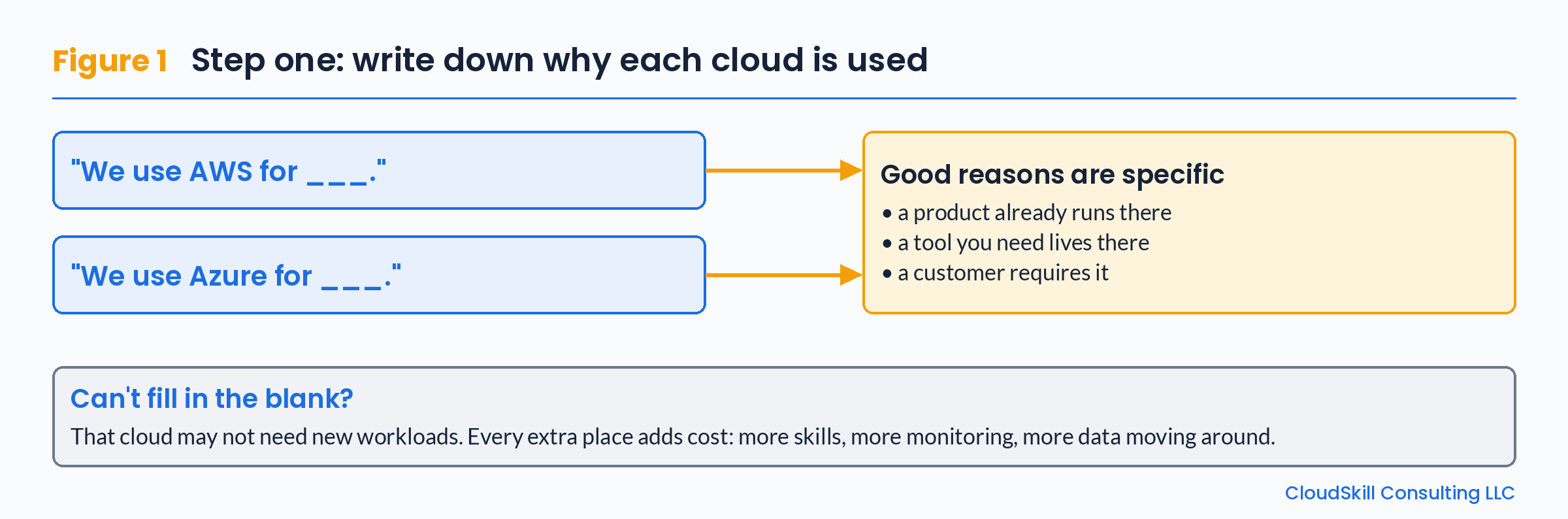 *Figure 1. Write one "why" line for each cloud before you add anything new to it.*
The five shared rules
These rules are the same on both clouds. Only the tool you use to follow each rule is different. Figure 2 shows each rule in the middle, with the AWS tool on the left and the Azure tool on the right.
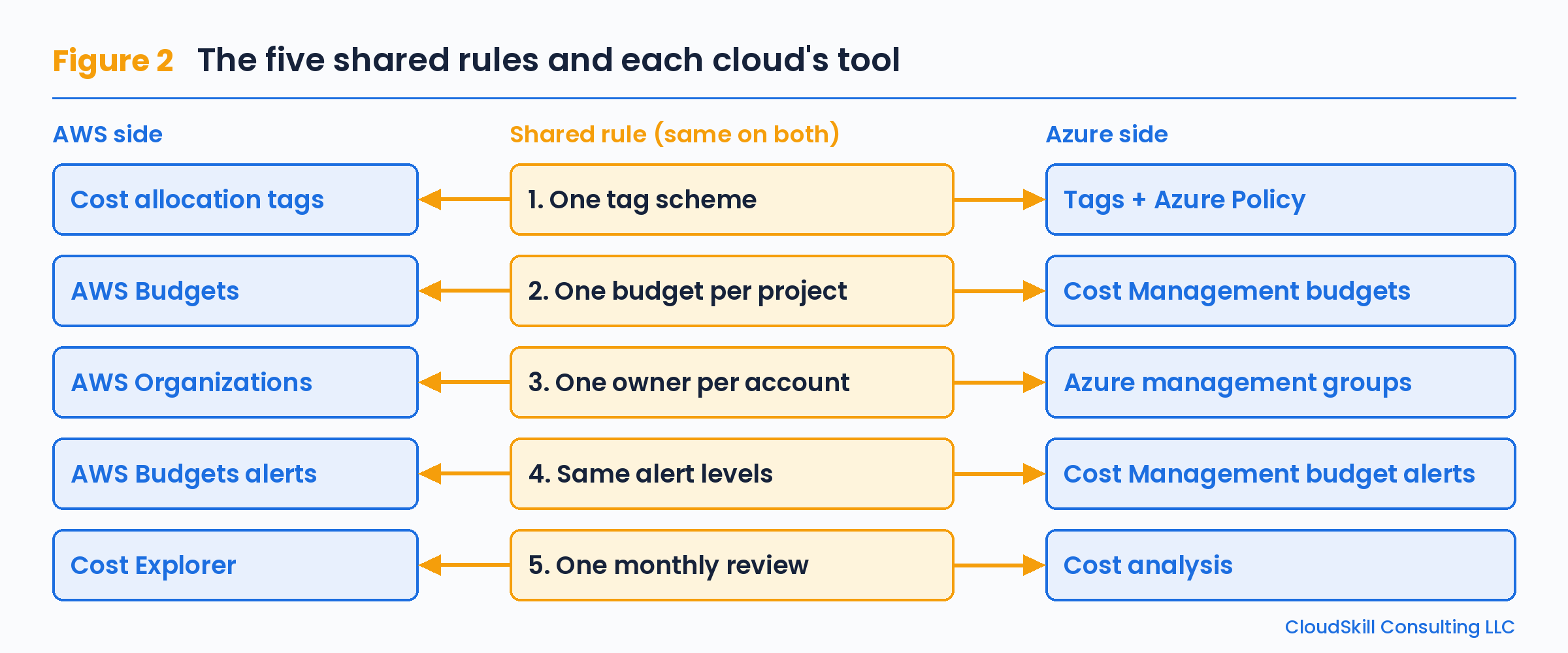 *Figure 2. The five shared rules stay the same on both clouds. Each cloud uses its own tool to follow them.*
Rule 1: One tag scheme
Pick a few tag keys and use them everywhere. For example: owner, env, project, cost-center.
Same spelling. Same lowercase. On AWS, activate them as cost allocation tags so they show up in billing. On Azure, use Azure Policy to require them.
Now you can ask one question on both clouds and get a matching answer:
# AWS: find resources tagged project=billing-api (current region)
aws resourcegroupstaggingapi get-resources \
  --tag-filters Key=project,Values=billing-api \
  --query "ResourceTagMappingList[].ResourceARN"

# Azure: find resources tagged project=billing-api (current subscription)
az resource list --tag project=billing-api \
  --query "[].{Name:name,Type:type,RG:resourceGroup}" -o table
The two commands do the same job. The first one asks AWS for every resource with the tag project=billing-api in the current region. The second one asks Azure the same question for the current subscription. Because the tag key and value are spelled the same way on both sides, the answers match.
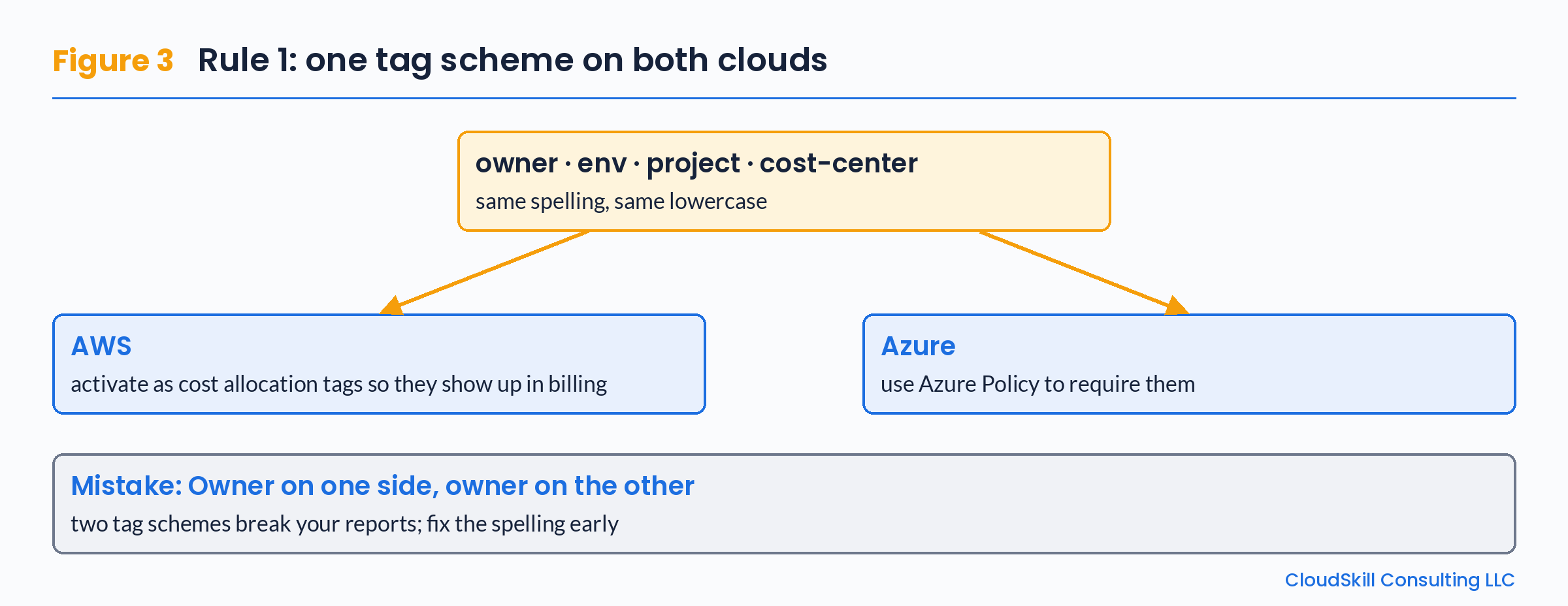 *Figure 3. One set of tag keys, spelled the same way, works on both clouds.*
Rule 2: One budget per project, on each cloud
If a project runs on both clouds, give it a budget on both. Use AWS Budgets on one side and Cost Management budgets on the other. Filter each budget by the same project tag.
Then the project owner sees two numbers that add up to one total.
Rule 3: One owner per account or subscription
Every AWS account and every Azure subscription needs one named person. Not a group email. A person.
Group them in a clear way:
- AWS Organizations puts accounts under one structure with one bill for all accounts (consolidated billing).
- Azure management groups put subscriptions under one structure for policy and access.
Try to mirror the layout. For example, "prod" and "non-prod" on both sides. When both clouds look the same, people can find things quickly, and every bill line has a person to ask.
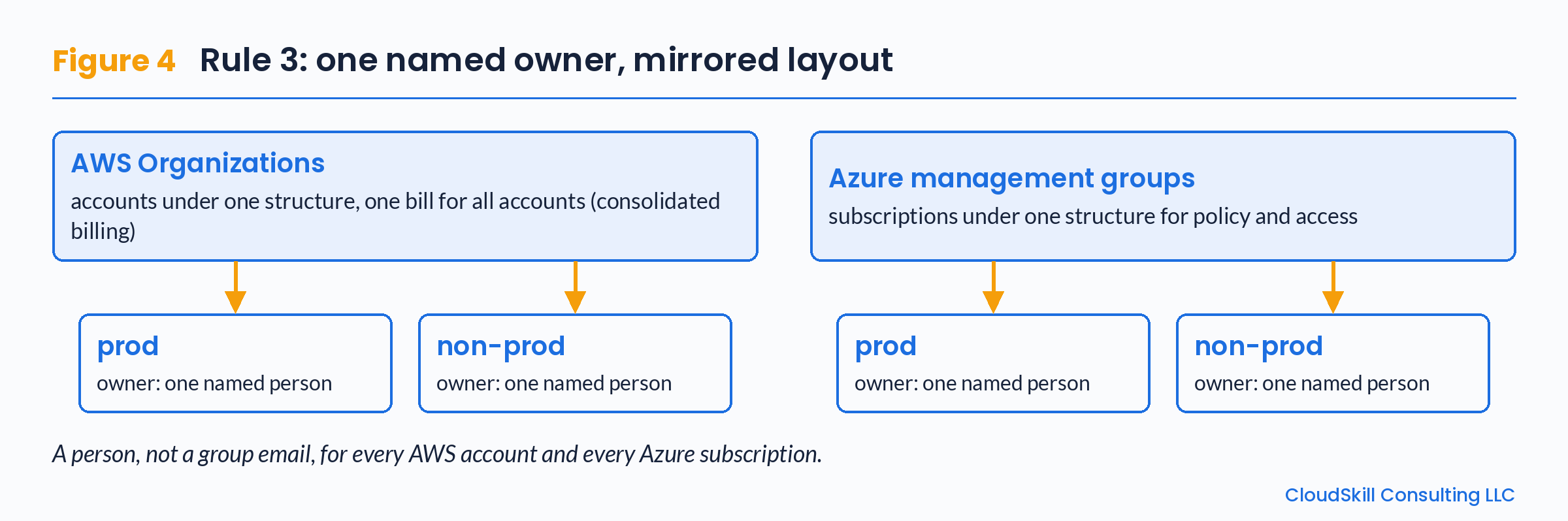 *Figure 4. Mirror the same prod and non-prod layout on both clouds, with one named person for each account or subscription.*
Rule 4: Same alert levels
Decide your alert levels once. Use them on both clouds. Choose levels that fit your budget, such as a warning when forecast spend is getting close and a louder alert when actual spend goes over. Set the alert levels in AWS Budgets on AWS and in Cost Management budget alerts on Azure.
When the rules match, people learn them once. They stop ignoring alerts from "the other cloud."
Rule 5: One monthly cost review
One meeting. Both clouds. Use Cost Explorer on AWS and Cost analysis on Azure. Same agenda each time:
- Top changes on AWS.
- Top changes on Azure.
- Untagged resources on either side.
- Data moving between the clouds.
Use each cloud's own cost tools
You don't need a big new platform on day one. Both clouds already give you good tools.
| Job | AWS | Azure |
|---|---|---|
| See spend | Cost Explorer | Cost Management (Cost analysis) |
| Budgets and alerts | AWS Budgets | Cost Management budgets |
| Tag rules | Cost allocation tags | Tags + Azure Policy |
| Rightsizing advice | Compute Optimizer | Azure Advisor (Cost) |
| Commitments | Savings Plans, Reserved Instances | Reservations, savings plan for compute |
Start here. Add more only when these stop being enough.
Mistakes that quietly raise the bill
Copying everything to both clouds "just in case." Running the same full stack twice doubles cost. Decide which workloads truly need to be on both. For most, one cloud is enough.
Forgetting data transfer. Moving data out of a cloud costs money on both AWS and Azure. Apps that send data between clouds all day can cost a lot. Keep data and the apps that use it close together.
Two tag schemes. Owner on one side and owner on the other breaks your reports. Fix the spelling early.
Buying commitments too soon. Savings Plans and Reservations are great for steady, right-sized workloads. They are a bad fit for something you might move next quarter.
No one reads the alerts. An alert sent to a shared inbox that nobody checks is the same as no alert.
A simple first-month plan
- Week 1: Write the "why" line for each cloud. Agree on tag keys.
- Week 2: Turn on tag rules (cost allocation tags on AWS, Azure Policy on Azure).
- Week 3: Create one budget per project on each cloud, with the same alert levels.
- Week 4: Hold the first monthly review. Write down three fixes.
Each week builds on the one before. The tag keys from week 1 are used by the tag rules in week 2. The budgets in week 3 filter on those tags. The review in week 4 uses the same agenda as Rule 5.
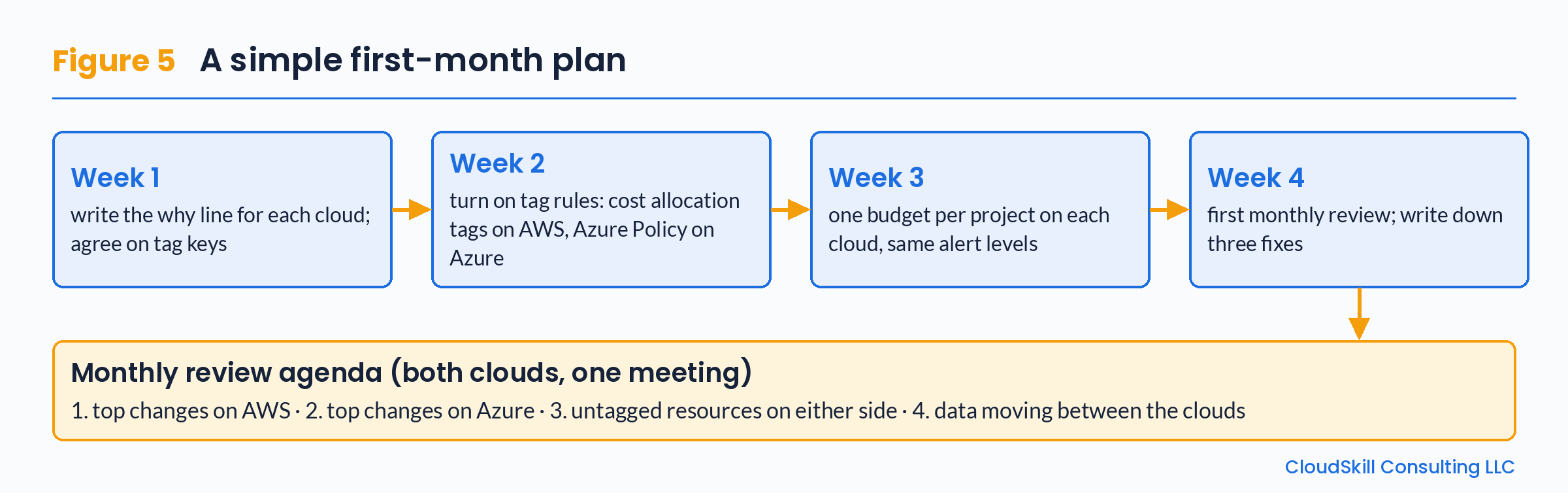 *Figure 5. The first-month plan, ending in the monthly review and its four-point agenda.*
One question to ask this week
If someone asked, "What did project X cost last month, on both clouds?", could you answer in five minutes?
If not, start with Rule 1. Everything else gets easier after that.
Have a multi-cloud cost question? CloudSkill Consulting LLC shares more practical AWS, Azure and Google Cloud notes at cloudskillconsulting.com.
About the author
- We are CloudSkill Consulting LLC, a cloud consulting company located at 2120 S 72nd St, Omaha, NE, United States. Our engineers help teams on AWS, Azure and Google Cloud with six kinds of work: moving apps between clouds, understanding and lowering cloud bills (FinOps), building safe cloud starting setups (landing zones), platform engineering, security and zero-trust access, and SRE and observability. Consulting is priced with fixed fees per milestone. We work with TD Bank. On this blog we explain DevOps and cloud tasks step by step. Contact: info@cloudskillconsulting.com
Comments
Join the discussionThe "write one why line per cloud" step is underrated. Most two-cloud setups drift because nobody can say which workloads belong where, so new stuff lands wherever the person deploying it is most comfortable. On Rule 1, one detail that trips people up: AWS cost allocation tags only show up in billing from the point they're activated, not retroactively, so it pays to activate them on day one even before the tag scheme is perfect. Matching lowercase keys across both clouds is a small thing that saves a lot of joins later.